Pop up Tech Checklist: Power and Wifi
5 mins
Power, wifi and payments: the tech checklist for a Pop up
When checking pop up shop power wifi requirements, look beyond the appearance of the space. Power points, internet access and payment systems can all affect how smoothly your Pop up operates, so it is worth testing the setup before opening day.
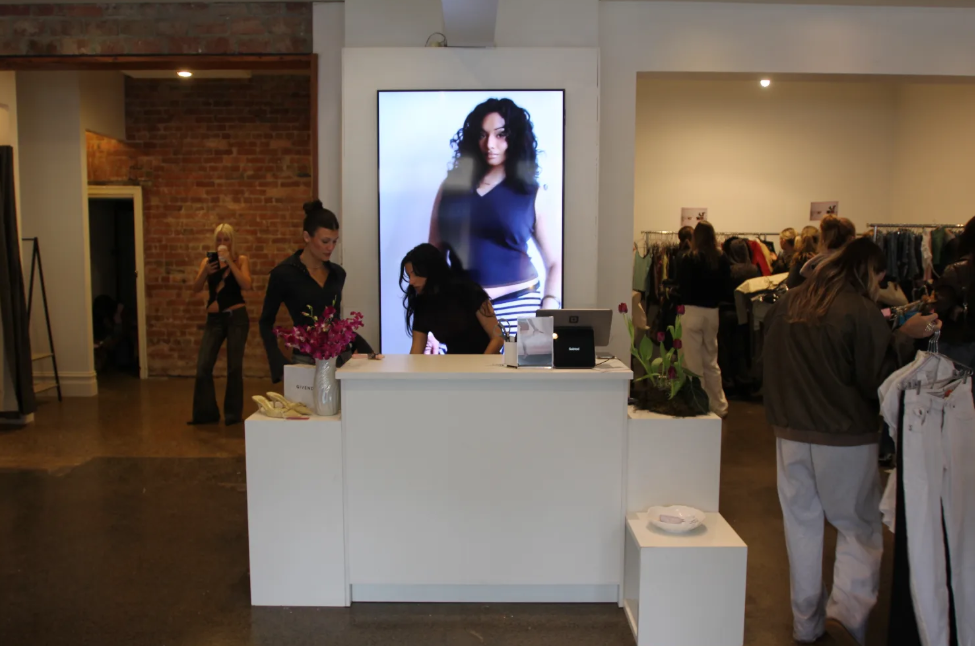
How much power a small retail fit-out actually draws
Start by listing everything that needs electricity.
Depending on your setup, that could include:
- Lighting
- Point-of-sale equipment
- Card terminals
- Tablets and laptops
- Screens
- Speakers
- Refrigeration
- Displays
- Chargers
- Heating or cooling equipment
Then look at where those items will actually sit.
Having power in the room is not enough if the useful outlets are on the wrong wall. Cables running across customer walkways can also create practical and safety issues.
Ask where the power points are, what equipment they can support and whether the venue has any requirements around electrical equipment.
When comparing locations, you can start with Spacenow's Pop up spaces and then check the technical details during an inspection.
For a small retail setup, the goal is not to calculate an exact electrical load yourself. Instead, make a list of everything you plan to connect and confirm that the space can support your setup.
Wifi, mobile data and card terminals
If your point of sale relies on an internet connection, treat connectivity as part of your venue requirements.
Ask whether wifi is available, where you can access it and whether you can test it from the location where your point of sale will operate.
Mobile coverage matters too. A mobile connection can provide a useful backup if your primary connection stops working.
Your card terminal may rely on wifi, mobile data, Bluetooth or another connection depending on the system. Test the actual equipment you plan to use rather than assuming your phone's connection will be enough.
Australian Government business guidance notes that EFTPOS and other electronic payment systems can depend on electricity and an internet connection, while some systems may continue operating offline.
That makes connectivity worth checking before you commit to your setup.
What to test at inspection, not on opening day
Before booking, review your pop up shop power wifi requirements alongside your point-of-sale setup, power access and internet connection.
Take your phone and, where possible, the equipment you will actually use.
Check:
- Mobile signal
- Wifi availability
- Power point locations
- Power access near the point of sale
- Cable routes
- Screen connections
- Bluetooth connections
- The position of the point of sale
If the venue provides wifi, test it from the exact area where you expect to process transactions.
Also check whether walls, doors, furniture or other structures affect the connection.
A five-minute test during an inspection can reveal a problem while you still have time to change your setup.
For broader venue search support, Spacenow's concierge service can help you communicate technical requirements when looking for a space.
The backup plan worth having
Technology can fail, so decide what happens if your primary connection goes down.
Depending on your setup, that could mean:
- Having a mobile hotspot available
- Keeping essential devices charged
- Carrying the correct cables and adapters
- Knowing how your payment system handles connection failures
- Having a temporary manual process for recording transactions
Your backup should match your actual equipment. A hotspot is not useful if your payment system cannot operate through it.
The goal is not to eliminate every technical risk. It is to make sure one failed connection does not stop the entire shop.
It is also worth checking how your point-of-sale system records transactions and sales information. A suitable POS system can help process sales and support record keeping, according to Australian Government business guidance.
FAQ
Will the venue wifi handle my card terminal?
You should test the actual card terminal and connection before opening rather than assuming venue wifi will be suitable. Check the signal, network access and whether you have a suitable backup connection.
What do I do if the space has no power outlets where I need them?
Ask the venue what alternatives are permitted and adjust the layout if necessary. Do not improvise electrical connections or run cables through customer areas without confirming that the setup is appropriate.
Power and connectivity are easy to overlook because you only notice them when they stop working. Check both during the inspection, plan around the available outlets and have a backup before opening day.